
Offer settings explained
Most offers share these tabs: General, Settings, Translations and Design.
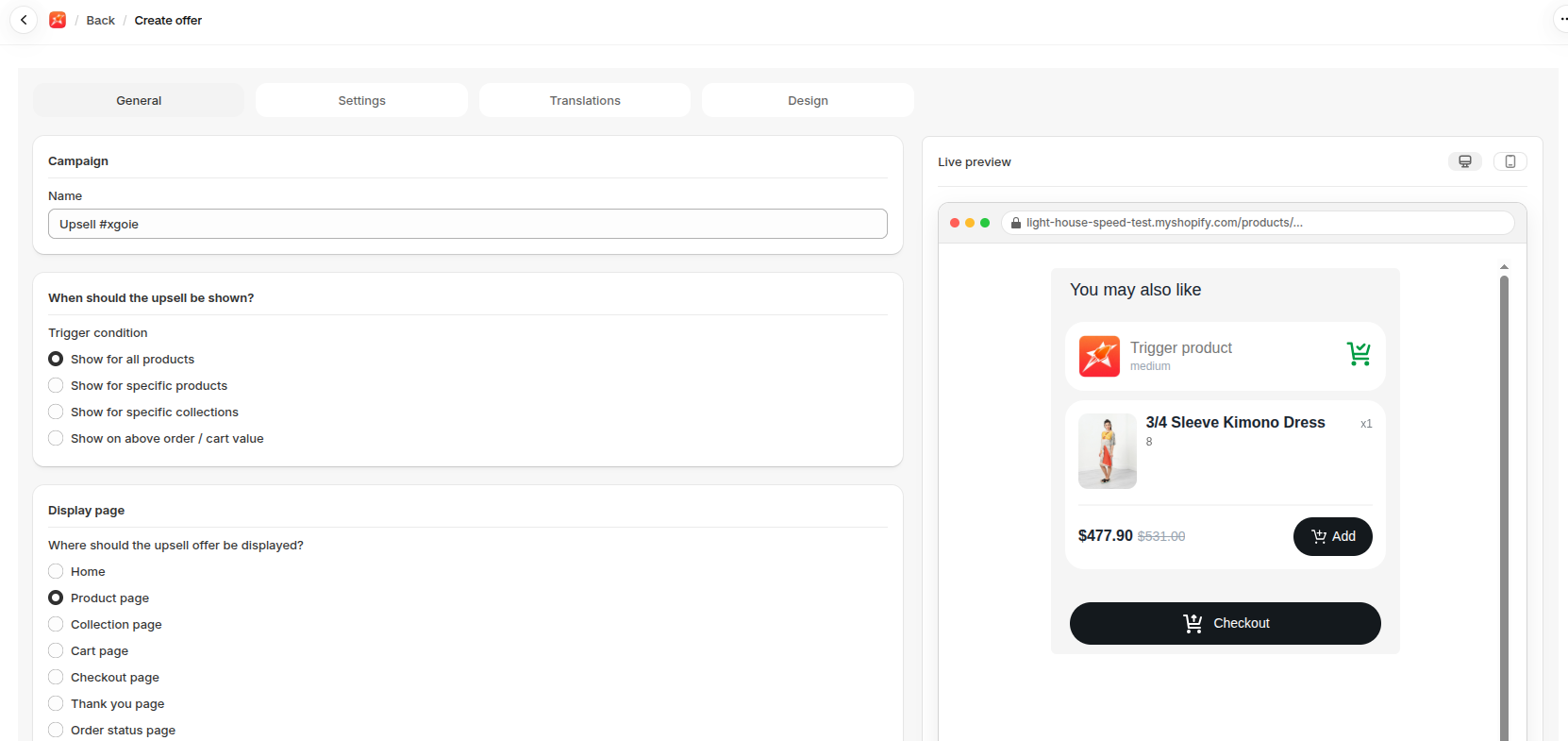
General
Section titled “General”- Trigger condition: what makes the offer show. Choose Show for all products, Show for specific products, Show for specific collections or Show on above order / cart value.
- Display page: where it appears.
- Display type: how it appears.
- Popup opens when the shopper clicks Add to Cart, or Checkout on the cart page.
- Embedded sits inside the page and needs a block on your theme.
- Popup on page load opens as the page loads.
- Offer type: Upsell, Cross-sell or None.
- Discounts: the products, Discount type (Percentage, Fixed amount or None), Discount value and Minimum purchase quantity.
Settings
Section titled “Settings”- Show quantity picker and Hide variant selector.
- Hide product if already in cart and Hide out-of-stock products.
- Primary button and Secondary button: show or hide them and choose an Action: Checkout, Go to cart or Close.
- Custom CSS: for developers.
- Placement: where a widget goes when no block is on the page. A block always takes priority.
Translations
Section titled “Translations”Change the title and button words, for example into your store’s language.
Design
Section titled “Design”Choose a Template theme and set colours. The preview shows changes as you make them.
Offer list actions
Section titled “Offer list actions”Each offer list also has Duplicate, Delete, Analytics and Send Notification actions.