
Frequently Bought Together
Show products that go together, so shoppers can add them in one click.
- Best for
- Products usually bought as a set.
- Shows on
- Home, product and cart pages.
- Needs a theme block
- Only for Embedded offers. The block is called FBT Upsell.
When to use it
Section titled “When to use it”Use it when you have items that are naturally used together, such as a camera, a case and a memory card.
Create the offer
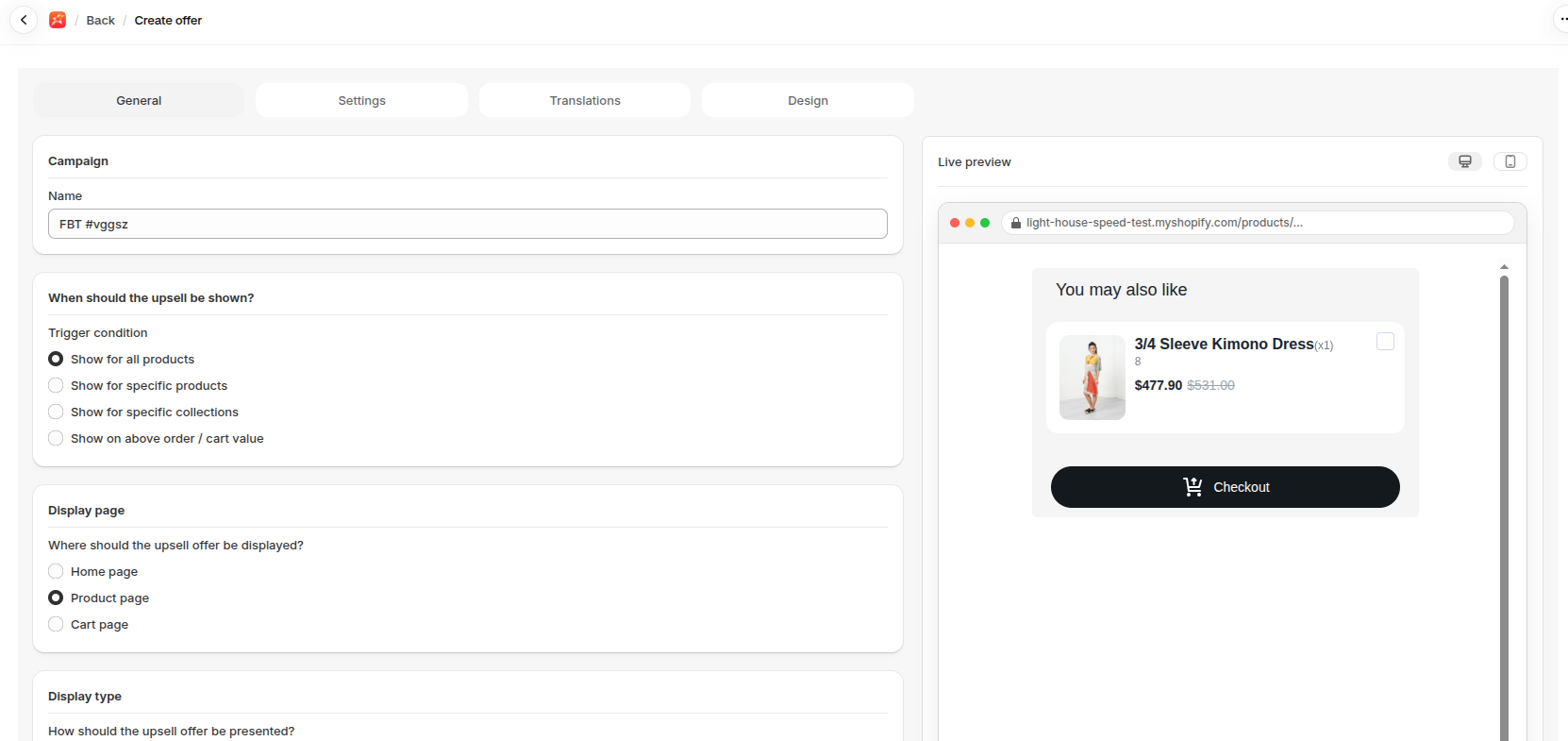
Section titled “Create the offer”- Go to Upsells, open FBT Upsell and click Create.
- Enter a Name.
- Choose a Trigger condition.
- Choose a Display page and a Display type.
- Choose an Offer type.
- Choose the Offer products under Discounts.
- Set the discount.
- Click Save.
Show it on your store
Section titled “Show it on your store”Embedded offers need the FBT Upsell block on the page. See Add a widget block to your theme.
- Use products that really do sell together. Your order history is the best source.
- A small discount on the set gives shoppers a reason to add everything.
If it isn’t working
Section titled “If it isn’t working”- The FBT Upsell block isn’t on the page.
- The trigger doesn’t match the product being viewed.
- Hide out-of-stock products is on and the offer’s products are sold out.
For the full checklist, see Troubleshooting.