
Upsell & Cross-sell
Recommend extra or better products to shoppers at the right moment.
- Best for
- Adding a related product, or moving shoppers up to a better one.
- Shows on
- Home, product, collection, cart, checkout (Shopify Plus only), thank you and order status pages.
- Needs a theme block
- Only for Embedded offers.
When to use it
Section titled “When to use it”Use it when you know which product pairs well with another, or you have a better version of a popular product.
Create the offer
Section titled “Create the offer”Choose the Offer type that matches what you want to sell:
- Upsell: replaces the trigger product with the upsell product. Use it to move a shopper up to a better product.
- Cross-sell: adds a product alongside the trigger product. Use it for accessories and add-ons.
- None: the discount doesn’t need a trigger product. Use it to offer a discounted product to anyone.
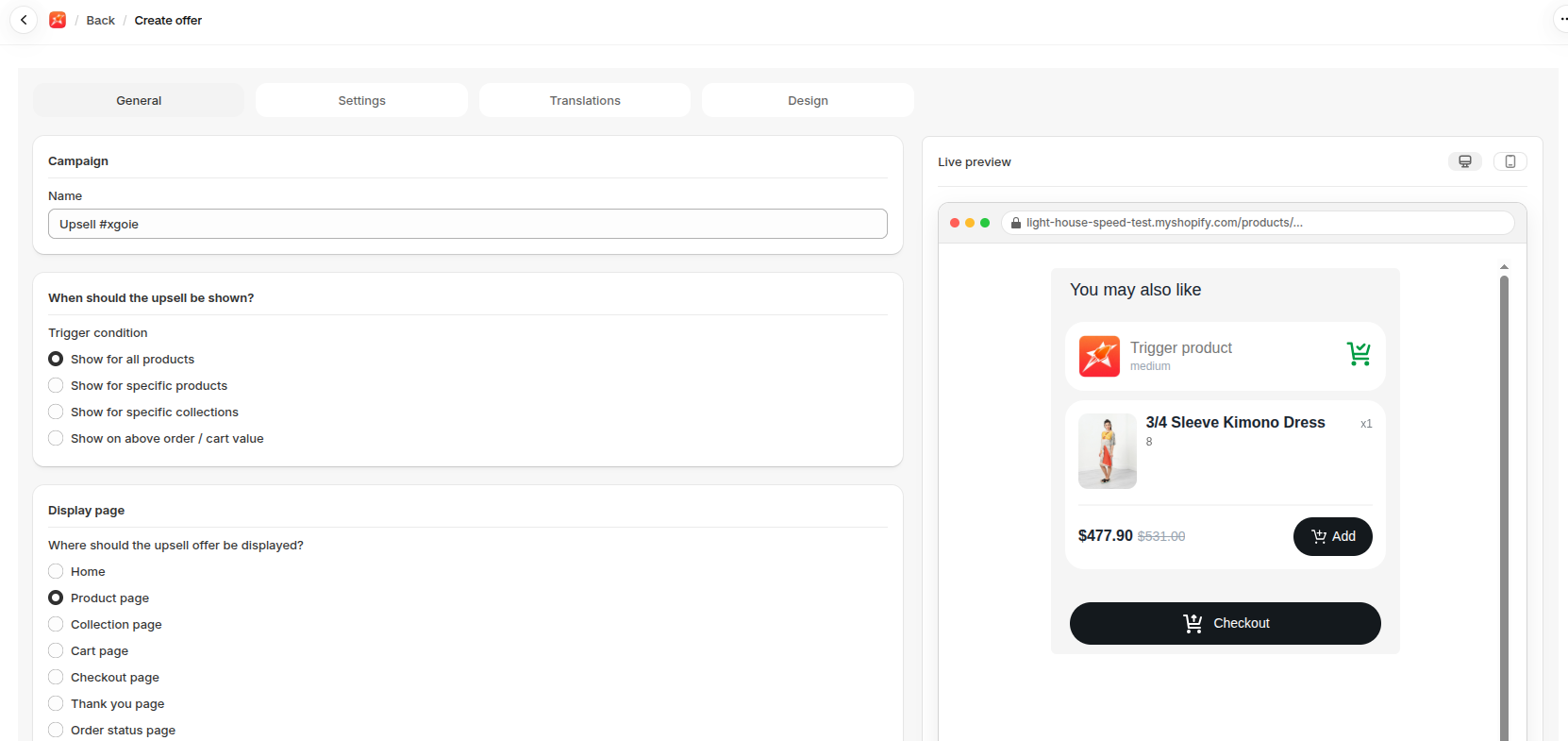
- Go to Upsells, open Upsells & Cross-sell and click Create.
- Enter a Name.
- Choose a Trigger condition under When should the upsell be shown?. The choices are Show for all products, Show for specific products, Show for specific collections and Show on above order / cart value.
- Choose a Display page and a Display type.
- Choose an Offer type.
- Choose the Offer products under Discounts.
- Set the Discount type, Discount value and Minimum purchase quantity.
- Optional: click Add More Offers to add more offers.
- Fine-tune the offer in the Settings, Translations and Design tabs. See Offer settings explained.
- Click Save.
Show it on your store
Section titled “Show it on your store”Embedded offers need the Upsell & Cross-sell block. Offers on the checkout, thank you and order status pages use a checkout block instead. See Add a widget block to your theme and Add a block to checkout, thank you or order status.
- Recommend products that make sense with the trigger, at a lower price than the main item.
- Keep to a few products per offer, so the choice stays easy.
- Turn on Hide product if already in cart so shoppers aren’t offered what they already have.
If it isn’t working
Section titled “If it isn’t working”- The app embed is off.
- The offer is Embedded with no block on that page.
- The trigger doesn’t match the product being viewed.
For the full checklist, see Troubleshooting.