
AI Recommendations
Show recommended products automatically, without choosing them one by one. The recommendations come from Shopify’s product recommendations.
- Best for
- Large catalogues, or when you don't want to pick products by hand.
- Shows on
- Home, product, collection and cart pages.
- Needs a theme block
- Only for Embedded offers.
When to use it
Section titled “When to use it”Use it when your catalogue is too large to pair products by hand, or you’d rather not pick them one by one.
Create the offer
Section titled “Create the offer”Choose a Recommendation type:
- Related: products similar to the one being viewed.
- Complementary: products that go well with it.
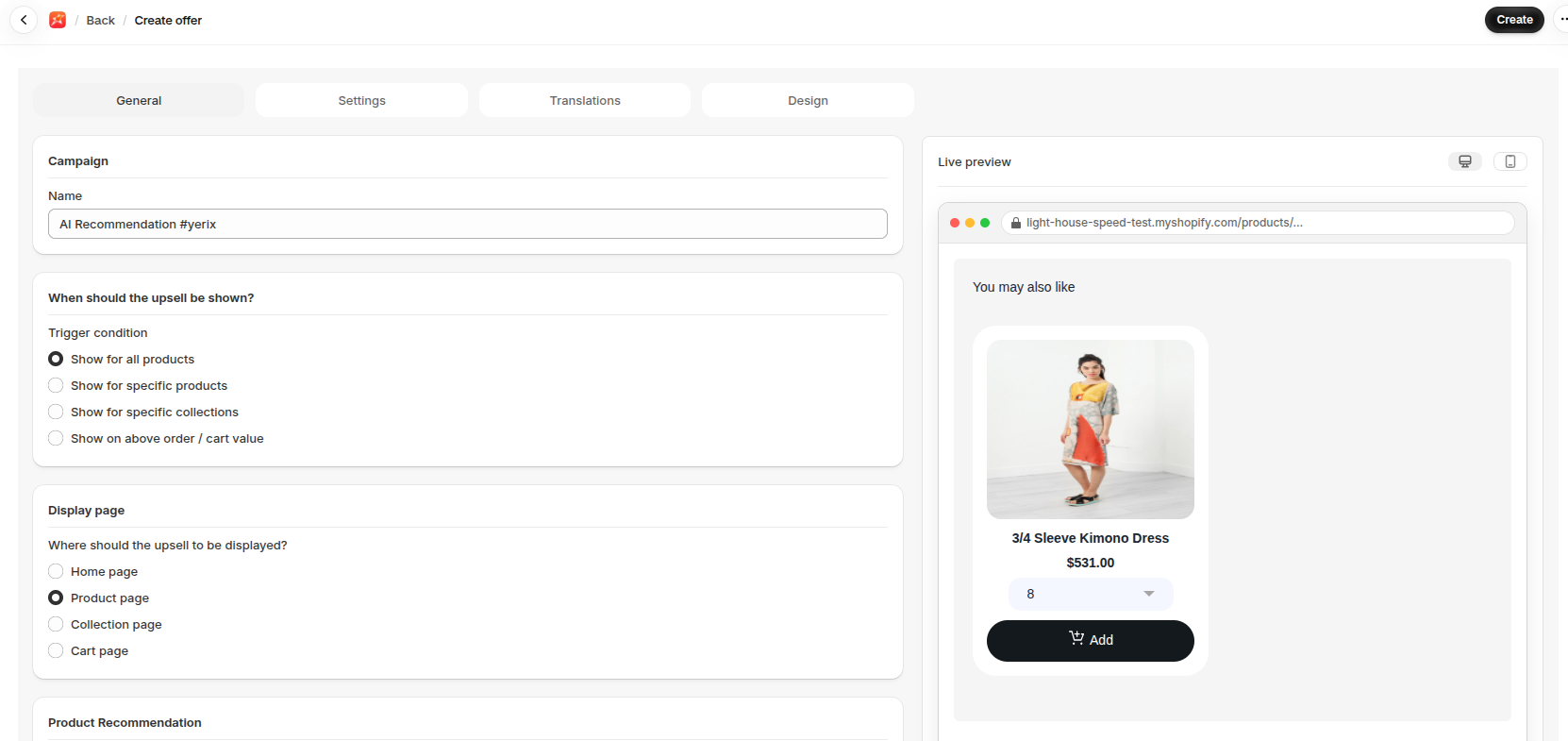
- Go to Upsells, open AI Recommendations and click Create.
- Enter a Name.
- Choose a Trigger condition.
- Choose a Display page and a Display type.
- Choose a Recommendation type and a Limit under Product Recommendation.
- Click Save.
Show it on your store
Section titled “Show it on your store”Embedded offers need the AI Recommendation block. See Add a widget block to your theme.
- Start with Related on product pages.
- New stores with little sales history may see fewer recommendations.
If it isn’t working
Section titled “If it isn’t working”- The AI Recommendation block isn’t on the page.
- Shopify has no recommendations for that product yet.
- On the home page, no specific products are set.
For the full checklist, see Troubleshooting.