
Customize the Slide Cart
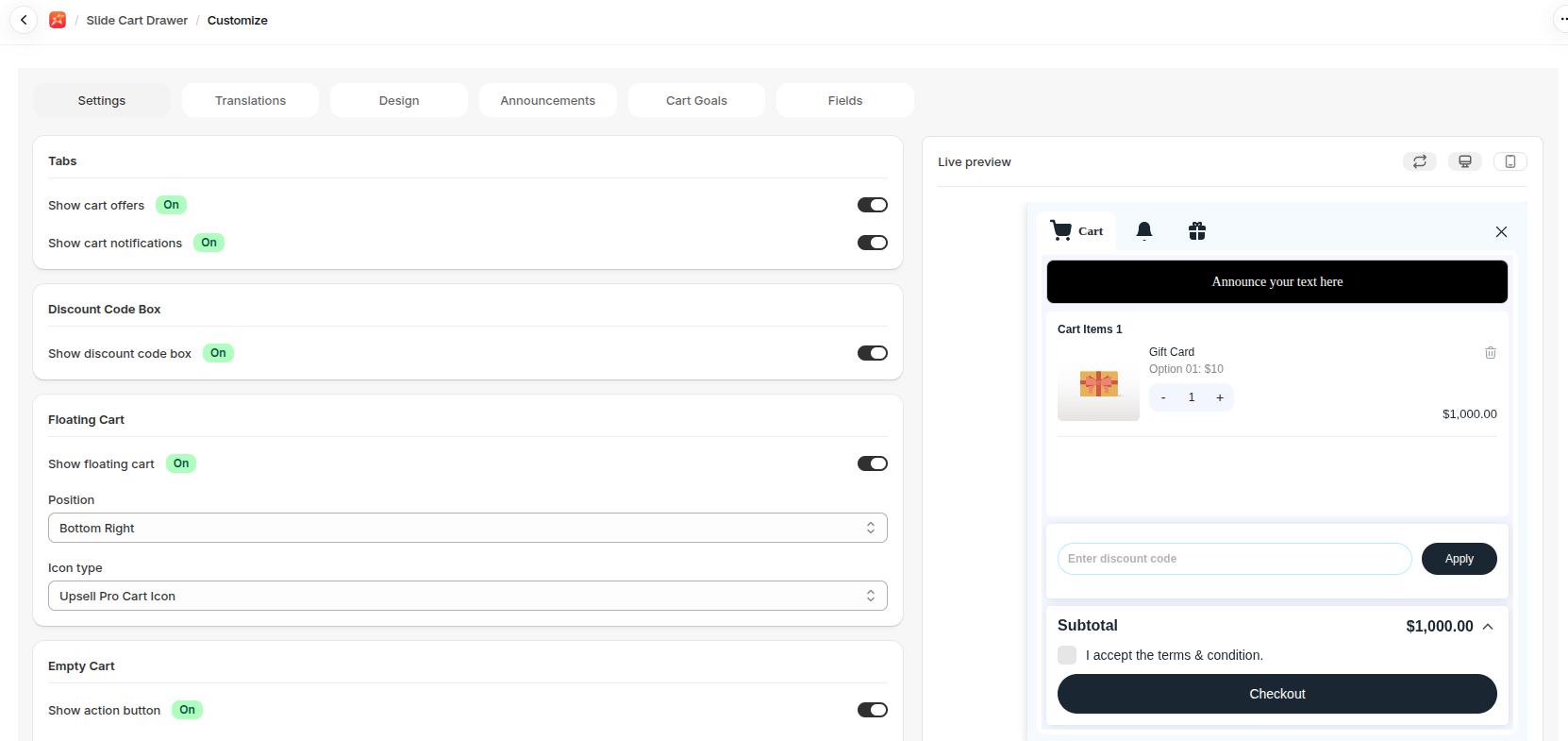
From Slide Cart Drawer, open Customize. The page has these tabs: Settings, Translations, Design, Announcements, Cart Goals and Fields. A live preview on the right shows your changes as you make them.
What you can control
Section titled “What you can control”- Tabs: which tabs show in the drawer. Show cart notifications and Show cart offers turn on the Notifications and Offers tabs.
- Announcements: rotating messages at the top of the cart, such as free shipping notes.
- Cart Goals: a reward progress bar. See Cart Goals.
- Discount Code Box: lets shoppers enter a code. Turn on Show discount code box.
- Terms & Condition: a checkbox shoppers tick before checkout.
- Empty Cart: the message shown with nothing in the cart. You can also turn on Show action button and set a Redirection URL for where the button goes.
- Floating Cart: a cart button that stays on screen. Set Show floating cart, Position and Icon type.
- Toaster Notification: a short message when a product is added.
- Translations and colours: edit the words and colours to match your store.
Click Save to publish.