
Cart Offers
Show discount code offers in the drawer’s Offers tab.
Create an offer
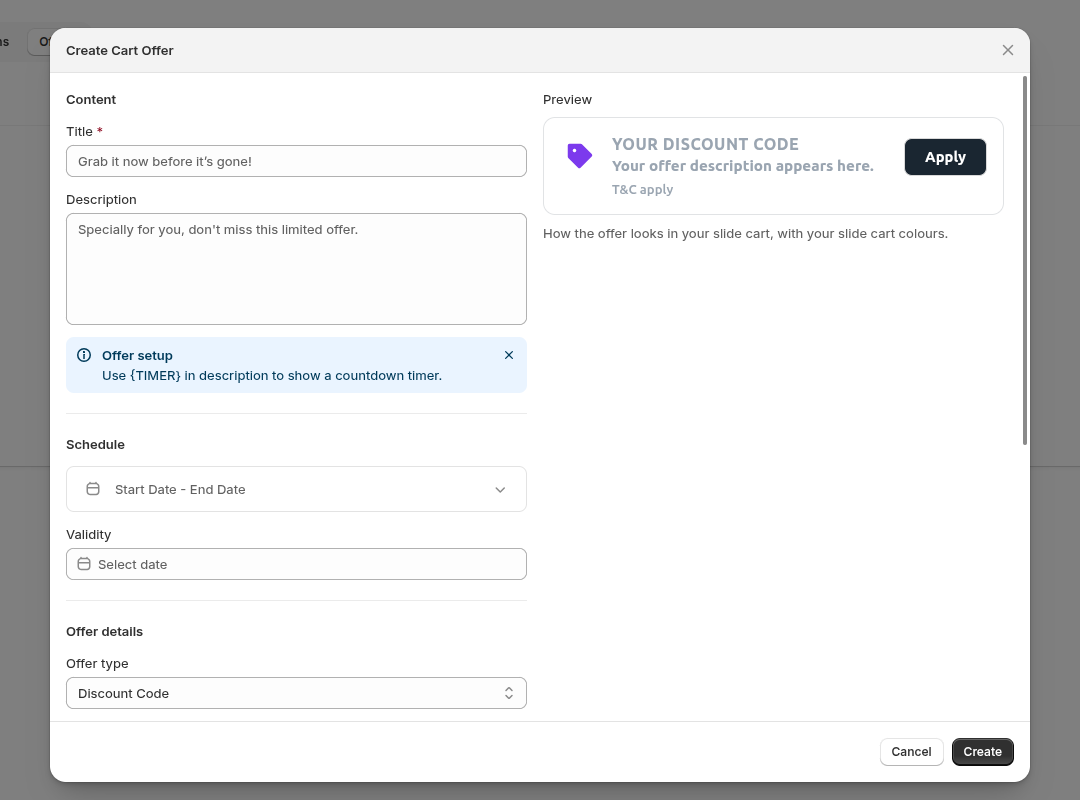
Section titled “Create an offer”- Go to Slide Cart Drawer, open the Offers tab and click Create Offer.
- Fill in the Title and Description.
- Choose the Offer type and enter the Discount code.
- Set Button text, Redirect URL, Image URL, Terms and conditions and Validity as needed.
- Save the offer.
Make sure Show cart offers is on in Customize, or the tab won’t show.
- Use
{TIMER}in the Description to show a countdown timer.