
Automatic Free Gift
Add a free product to the cart automatically when it matches your conditions.
- Best for
- Rewarding bigger orders or promoting a new product.
- Shows on
- No visible widget. The gift is added directly to the cart.
- Needs a theme block
- No.
When to use it
Section titled “When to use it”Use it to reward shoppers who reach a cart value you choose, or to put a new product in front of people who are already buying.
Create the offer
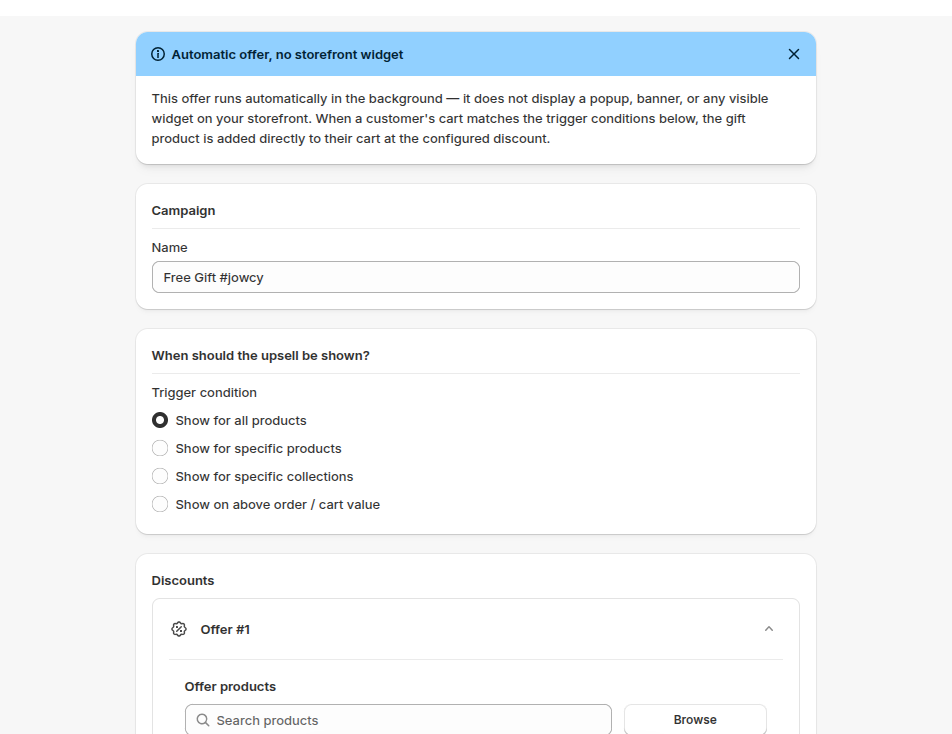
Section titled “Create the offer”- Go to Upsells, open Automatic Free Gift and click Create.
- Enter a Name.
- Choose when the gift applies under Trigger condition. For example, Show on above order / cart value rewards carts above an amount you set.
- Choose the gift product under Discounts.
- To make it free, set Discount type to Percentage and Discount value to 100.
- Optional: click Add More Offers to add more gifts.
- Click Save.
Show it on your store
Section titled “Show it on your store”There is nothing to place on your store. The offer runs in the background, and the gift is added directly to the cart when the cart matches your trigger.
- Set the cart value just above your typical order, so reaching it takes one more item.
- Choose a gift with a low cost to you and a clear value to shoppers.
- Mention the gift somewhere visible, such as a Slide Cart announcement, because the gift has no widget of its own.
- Make sure the gift product has stock. If it’s sold out, it isn’t added and shoppers aren’t told.
If it isn’t working
Section titled “If it isn’t working”- The app embed is off.
- The gift product is sold out.
- The cart doesn’t meet the trigger.
For the full checklist, see Troubleshooting.